


 Deun-Deun
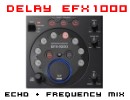
Adds delay sound to the original sound according to the BPM mode
Button parameters :
BEAT select buttons / indicators : 1/4, 1/2, 3/4, 1/1, 2/1, 4/1
The effect is synchronized automatically to the BPM, and the corresponding effect time is displayed. If a beat select button is pressed, the effect is newly
synchronized to the corresponding multiple of the BPM.
EFFECT FREQUENCY select buttons : LOW/MID/HI
Use to kill the frequency band of the sounds to which beat effects will be applied. If all three range buttons are ON, no beat effects will be applied to sounds.
Slider parameters :
÷ The DEPTH dial can be used to adjust the feedback level. Feedback means to input the delay sound back into the delay input. This control allows the
amount of the feedback to be adjusted. (near the [MAX] setting, the sound level rises).
÷ The CHARACTER dial can be used to adjust the amount of filter applied to the feedback sound (Band Pass Filter).
÷ The MIX dial can be used to adjust the levels of the original and delay sounds.
Button parameters :
BEAT select buttons / indicators : 1/4, 1/2, 3/4, 1/1, 2/1, 4/1
The effect is synchronized automatically to the BPM, and the corresponding effect time is displayed. If a beat select button is pressed, the effect is newly
synchronized to the corresponding multiple of the BPM.
EFFECT FREQUENCY select buttons : LOW/MID/HI
Use to kill the frequency band of the sounds to which beat effects will be applied. If all three range buttons are ON, no beat effects will be applied to sounds.
Slider parameters :
÷ The DEPTH dial can be used to adjust the feedback level. Feedback means to input the delay sound back into the delay input. This control allows the
amount of the feedback to be adjusted. (near the [MAX] setting, the sound level rises).
÷ The CHARACTER dial can be used to adjust the amount of filter applied to the feedback sound (Band Pass Filter).
÷ The MIX dial can be used to adjust the levels of the original and delay sounds.
Posted Mon 16 Jan 12 @ 3:56 pm
 thetracker510
gonna try this on the dell which just installed a bigger,faster hard drive and windows 7 a few hours ago...good job as allways!
Posted Sun 22 Jan 12 @ 1:32 am
Deun-Deun
available
Posted Tue 24 Jan 12 @ 2:23 am
 synthet1c
Amazing DD thank you very much!
Posted Tue 24 Jan 12 @ 2:39 am
Deun-Deun
always a pleasure :-)
thanx
thanx
Posted Tue 24 Jan 12 @ 4:44 pm
synthet1c
DD this is the best effect in vdj, but the more i play with it the more i miss being able to echo the 8 beats like on the efx 1000, the reason Is I used to record the 8 beat loop and let the first 4 beats play, and mess around with the last 4, this way you can actually play with the loop for more than a quick fill as you can always record over it again with a clean loop. Also would there be any way of incorperating a mute button, so you can remove the unwanted sounds when it gets too noisy then re edit to fill in the space?
I have just finished a mapper for an icon idj with pretty much all of your effects built in, just writing up some instructions and i'll upload it.
also for another project do you think you could make a beatmasher with a variable repeat speed/pitch, like chackl's rollit, or your ramp delay, but make it so you can control the speed/pitch with a slider, instead of the buttons. chackl has made a great plugin that hardly ever works over 100bpm on any of my computers and it crashes vdj a lot.
I map rollit to my jog with this so you get an idea of what I am after.... if you cant get it to work, just half the bpm of your track
jog/encoder
param_greater 0% ? param_multiply 25% & effect 'rollit' slider 3 +0.001 & effect 'rollit' slider 2 +0.001 : param_multiply 25% & effect 'rollit' slider 3 -0.001 & effect 'rollit' slider 2 -0.001
touch/button
var '$jog_fx' 5 ? down ? effect 'rollit' slider 1 100% & effect 'rollit' slider 3 50% & effect 'rollit' slider 2 25% & effect 'rollit' active on : effect 'rollit' active off
I have just finished a mapper for an icon idj with pretty much all of your effects built in, just writing up some instructions and i'll upload it.
also for another project do you think you could make a beatmasher with a variable repeat speed/pitch, like chackl's rollit, or your ramp delay, but make it so you can control the speed/pitch with a slider, instead of the buttons. chackl has made a great plugin that hardly ever works over 100bpm on any of my computers and it crashes vdj a lot.
I map rollit to my jog with this so you get an idea of what I am after.... if you cant get it to work, just half the bpm of your track
jog/encoder
param_greater 0% ? param_multiply 25% & effect 'rollit' slider 3 +0.001 & effect 'rollit' slider 2 +0.001 : param_multiply 25% & effect 'rollit' slider 3 -0.001 & effect 'rollit' slider 2 -0.001
touch/button
var '$jog_fx' 5 ? down ? effect 'rollit' slider 1 100% & effect 'rollit' slider 3 50% & effect 'rollit' slider 2 25% & effect 'rollit' active on : effect 'rollit' active off
Posted Wed 01 Feb 12 @ 11:26 pm
Deun-Deun
EFX1000 delay : I have to manage with only 10 buttons (max for vdj plugins). Maybe, I can cancel the 3/2 and replace with 8/1....
Beatmasher : I'll test the rollit plugin to see what you want. For sure a beatmasher with LPF on the same slider as HPF will come. With pitch?
At the moment, I prefer to create new FX before updating some of them in V2. I'm preparing next EFX1000 beat FX : Flanger, Filter...
Beatmasher : I'll test the rollit plugin to see what you want. For sure a beatmasher with LPF on the same slider as HPF will come. With pitch?
At the moment, I prefer to create new FX before updating some of them in V2. I'm preparing next EFX1000 beat FX : Flanger, Filter...
Posted Sun 05 Feb 12 @ 3:10 pm