


 Marcel mdg
Hello,
I like the waveform shapes vieuw, but the shapes are bigger than the scratchwave outer window.
I have this with and without stems analyzed. (mainly these are the instrumentals)
Could this be a setting?
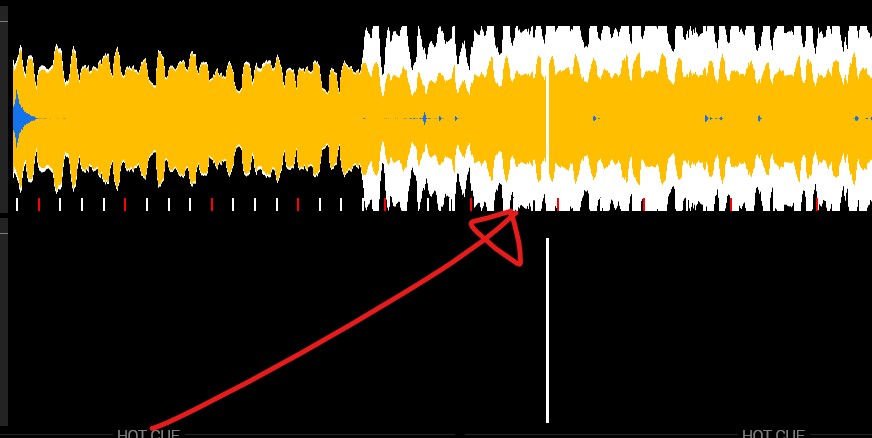
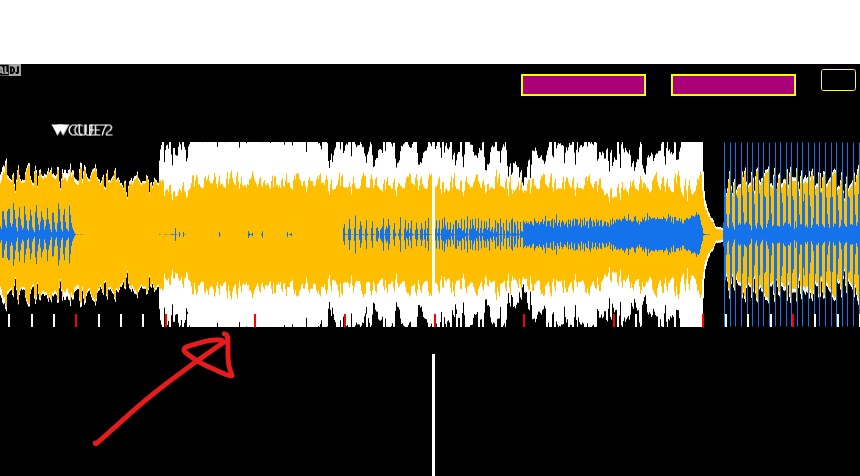
I like the waveform shapes vieuw, but the shapes are bigger than the scratchwave outer window.
I have this with and without stems analyzed. (mainly these are the instrumentals)
Could this be a setting?
Posted Tue 14 Apr 26 @ 5:16 pm
 PhantomDeejay
This seems more likely like a skin issue.
Which skin are you using ? I don't think that's the default skin
Which skin are you using ? I don't think that's the default skin
Posted Tue 14 Apr 26 @ 6:27 pm
Marcel mdg
It`s my "own" skin design written;
This is the code;
This is the code;
<define class="Waveform">
	<!--Square line only set on to visualize the border of waveform-->
	<square border="2" border_color="yellow" visibility="no">
		<pos x="+0" y="+0"/>
		<size width="2135" height="415"/>
	</square>
	<square color="black" width="2135" height="415">
		<pos x="+0" y="+0"/>
	</square>
	<scratchwave orientation="horizontal" colorNoVocal="green" colorNoInstru="red" colorNoBeat="purple" colorInstru="#FFBF00" colorVocal="#ffffff" colorBeat="#1473eb">
		<pos x="+0" y="+45" width="2135" height="370"/>
		<cue x="0" y="-20" height="25">
			<text dx="-12" dy="-25" weight="normal" fontsize="30" Font="robot"/>
		</cue>
		<grid mainsize="3" phrasesize="3" size="4" height="25" pos="0" maincolor="red" color="white" transparency="1" mirrored="yes" background="no"/>
		<gridlines width="0.1" color="white" transparency="0.1" visibility="no"/>
		<overlay>
			<pos x="+1067" y="+0"/>
			<size width="6" height="370"/>
			<background color="white" shape="square"/>
		</overlay>
	</scratchwave>
</define>
Posted Tue 14 Apr 26 @ 6:48 pm
PhantomDeejay
I don't really see any real issue. Most likely it looks wrong because your grid is inside the waveform area instead of below it.
So what you should really do is to move the grid.
So what you should really do is to move the grid.
Posted Tue 14 Apr 26 @ 6:57 pm
Marcel mdg
I played a little with making the scratchwave a little smaller or bigger with the skin script. I don`t make a difference.
Below is the same waveform vieuw at the same passage of the track, shapes vs. colors.
Shapes is noticeable. Not a big problem, but it looks strange when the waveform is chopped off.
At this way it looks like the gain is to much, but isn`t in reality.
I think its hardcode what can`t be changed.
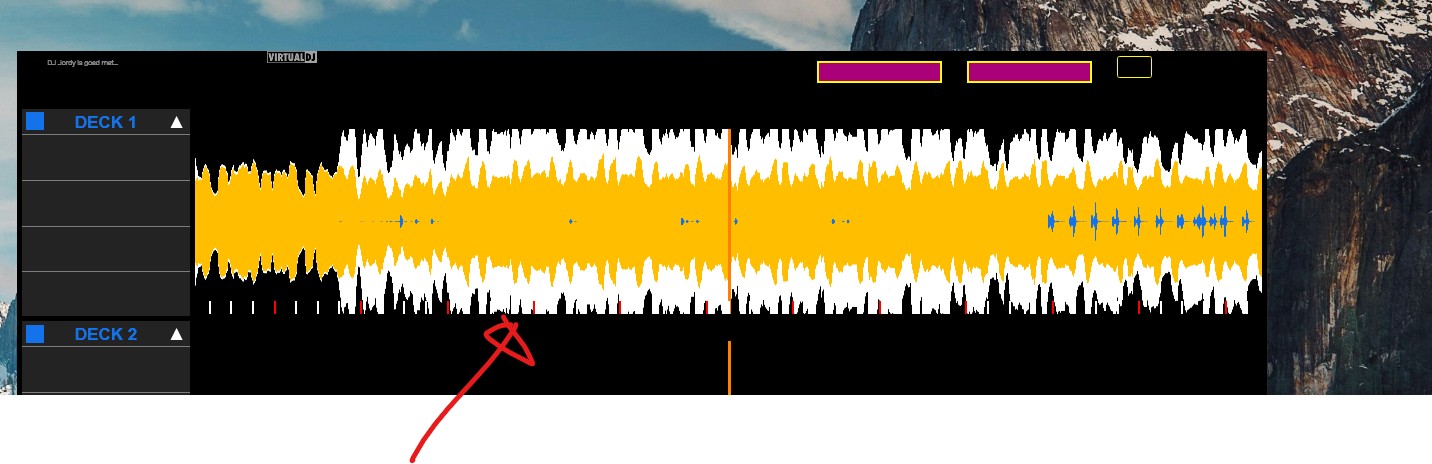
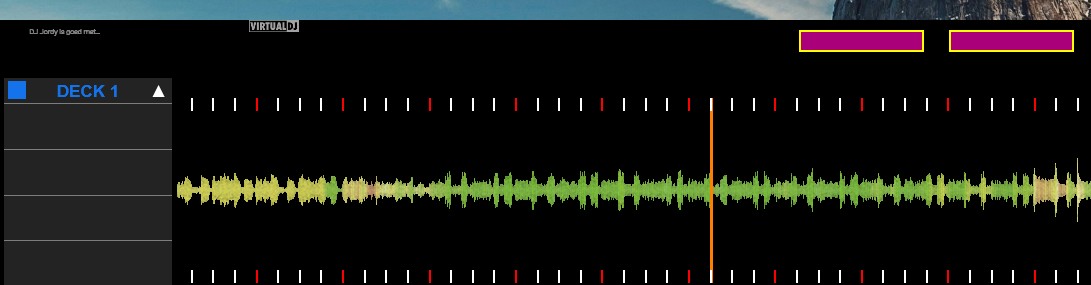
Below is the same waveform vieuw at the same passage of the track, shapes vs. colors.
Shapes is noticeable. Not a big problem, but it looks strange when the waveform is chopped off.
At this way it looks like the gain is to much, but isn`t in reality.
I think its hardcode what can`t be changed.
Posted Wed 15 Apr 26 @ 6:44 am
 groovindj
What's the track, and which part of the track is shown? How does that part look in the default skin?
Posted Wed 15 Apr 26 @ 9:23 am