


 Marcel mdg
Is there a way to switch quick between a skin that you are designing, to see in a fast way
wat your XML line of code does in the skin. I prefer it to do with a shortcut.
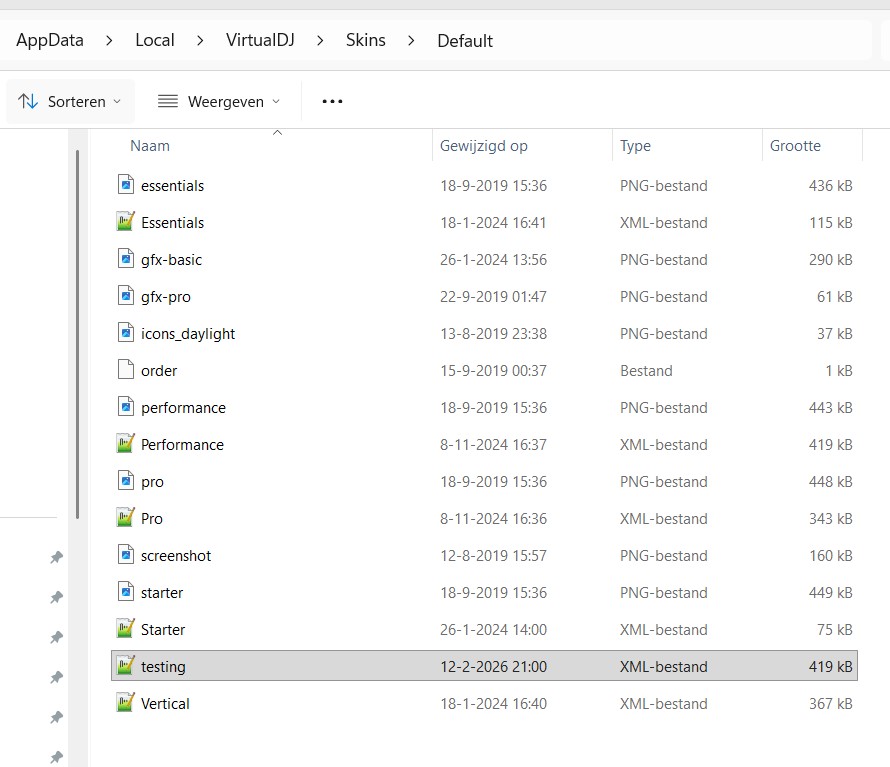
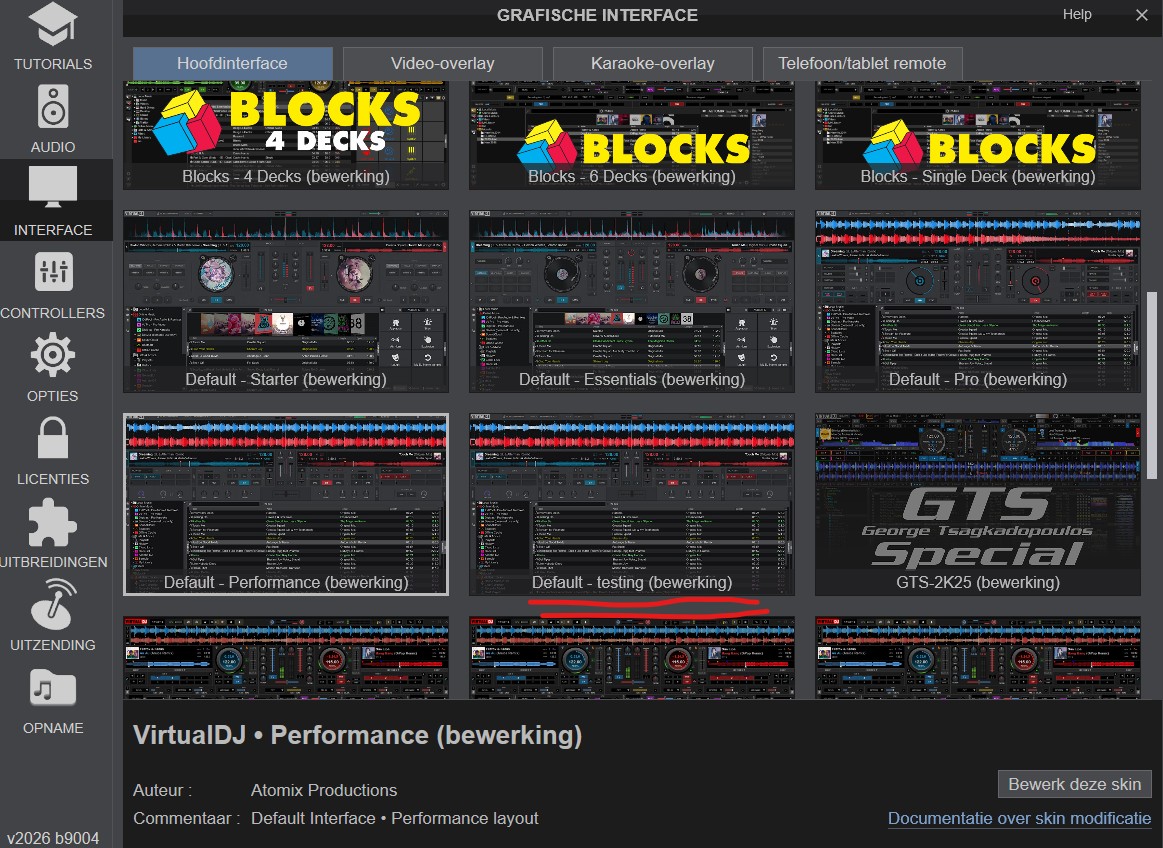
In my case, i have unpacked the Default virtual skin. I save the modifing skin under the name "testing".
Below is my folder structure and what i seen in virtual DJ.
mvg,
Marcel
wat your XML line of code does in the skin. I prefer it to do with a shortcut.
In my case, i have unpacked the Default virtual skin. I save the modifing skin under the name "testing".
Below is my folder structure and what i seen in virtual DJ.
mvg,
Marcel
Posted Thu 12 Feb 26 @ 8:15 pm
 locoDog
While working I just alt+tab to move focus and have a keyboard shortcut in vdj scripted to
load_skin
load_skin
Posted Thu 12 Feb 26 @ 8:33 pm
 groovindj
You could even specify the skin to load.
Posted Thu 12 Feb 26 @ 9:52 pm
 PhantomDeejay
True, but for skin development it's not needed.
I mean most likely you are already showing your own skin on screen. And load_skin without any name will reload the current skin.
So, for most purposes load_skin is the correct way to go here..
I mean most likely you are already showing your own skin on screen. And load_skin without any name will reload the current skin.
So, for most purposes load_skin is the correct way to go here..
Posted Fri 13 Feb 26 @ 7:38 am
locoDog
Also for initial learning, I'd make a 'testing' branch of Pro not Performance, Performance gets a little complicated with browser size and how racks work, but that's up to you.
Posted Fri 13 Feb 26 @ 8:12 am
groovindj
PhantomDeejay wrote :
load_skin without any name will reload the current skin.
Agreed - but he did say he wants to "switch between" rather than reload. May be a translation thing...
Posted Fri 13 Feb 26 @ 8:48 am
Marcel mdg
Hi all,
Its indeed I want to switch to or load to the default skin with a shortcut. The reason for this if you have loaded your development skin, it could be that you dont have the right skin buttons on you screen to switch back or go to your settings screens (just because I am not that far with it)
So my underlying question how does vdj reconize/reference the skin. The default skin is in a zip file, the development skin is in an uncompressed folder. What does work and what don’t?
Gr Marcel
Its indeed I want to switch to or load to the default skin with a shortcut. The reason for this if you have loaded your development skin, it could be that you dont have the right skin buttons on you screen to switch back or go to your settings screens (just because I am not that far with it)
So my underlying question how does vdj reconize/reference the skin. The default skin is in a zip file, the development skin is in an uncompressed folder. What does work and what don’t?
Gr Marcel
Posted Fri 13 Feb 26 @ 9:44 am
locoDog
settings "controllers"
settings "options"
settings "interface"
load_skin "Default/:testing"
the / means it uses a unzipped folder
settings "options"
settings "interface"
load_skin "Default/:testing"
the / means it uses a unzipped folder
Posted Fri 13 Feb 26 @ 9:58 am
Marcel mdg
That works out very fast!!!!
thnx
Marcel
thnx
Marcel
Posted Fri 13 Feb 26 @ 2:55 pm