


 Selectah Blaze
Hi all ,
i would like to know if there is a way to limit the amount of secs before track in the wave form , i'm not talking about tracks with long intro , since when opened with vlc there is no silence before track but in vdj there is -30secs before every track.
Any info would be greatly appreciated thx much.
i would like to know if there is a way to limit the amount of secs before track in the wave form , i'm not talking about tracks with long intro , since when opened with vlc there is no silence before track but in vdj there is -30secs before every track.
Any info would be greatly appreciated thx much.
Posted Mon 05 Jun 23 @ 10:13 pm
 djdad
djdad
Why would u want that ?
Some want to set a loop before the begining of the track
Some want to set a loop before the begining of the track
Posted Tue 06 Jun 23 @ 2:27 am
Selectah Blaze
djdad wrote :
Why would u want that ?
Some want to set a loop before the beginning of the track
Some want to set a loop before the beginning of the track
who would wanna loop silence? & as to why i want that cuz when i wheel a tune i want it on the top of the track not on silence if there is a setting i am missing since -5 secs would be better as there would be enough room to scratch in a tune. info would be helpful
Posted Tue 06 Jun 23 @ 3:00 am
djdad
Some like to have a loop before the start of the Track (4,8,16 beats), have it playing with its Vol fader up and beat/bar/phrase aligned with the Master Deck, then when the time comes , they just disable the loop and the Track plays from the start on time and point.
And btw (not that it matters much), other DJ software have this too, no ?
You wrote .. "when i wheel a tune "...
.. can you explain how exactly you do this and end up so far before the beginning of the Track ?
And btw (not that it matters much), other DJ software have this too, no ?
You wrote .. "when i wheel a tune "...
.. can you explain how exactly you do this and end up so far before the beginning of the Track ?
Posted Tue 06 Jun 23 @ 3:34 pm
Selectah Blaze
i don't end up so far i probably end up within -10 secs of 1st beat which is silence in a mix .... not good .... but hey do you know of a way to limit this -30 secs delay ?
Posted Thu 08 Jun 23 @ 2:19 pm
 groovindj
What do you have autoCue set to? Set it to 'skip silence'.
Posted Thu 08 Jun 23 @ 4:48 pm
 PhantomDeejay
There's something you're not telling us, that's causing wrong behavior.
By default, VirtualDJ will not "cue" or load a track with 30 secs silence.
By default it will load it ready to play "the same way as a media player like VLC would"
Due to the way DJs mix songs, you CAN go back before the beginning of the track for some time (what you refer to as silence). But the program itself will NOT go there automatically.
By default, VirtualDJ will not "cue" or load a track with 30 secs silence.
By default it will load it ready to play "the same way as a media player like VLC would"
Due to the way DJs mix songs, you CAN go back before the beginning of the track for some time (what you refer to as silence). But the program itself will NOT go there automatically.
Posted Fri 09 Jun 23 @ 8:14 am
Selectah Blaze
ok so here what im talking about i have highlighted the area in question dragging the wave form back to the start i end up in these horrific quiet zones (crickets chirping) i wanna know how to get rid of it ..
Posted Sat 15 Jul 23 @ 3:57 am
Selectah Blaze
DJ Don Gorgan wrote :
ok so here what im talking about i have highlighted the area in question dragging the wave form back to the start i end up in these horrific quiet zones (crickets chirping) i wanna know how to get rid of it ..

Posted Sat 15 Jul 23 @ 3:58 am
Selectah Blaze
still no solutions to this problem these files have had their silence trimmed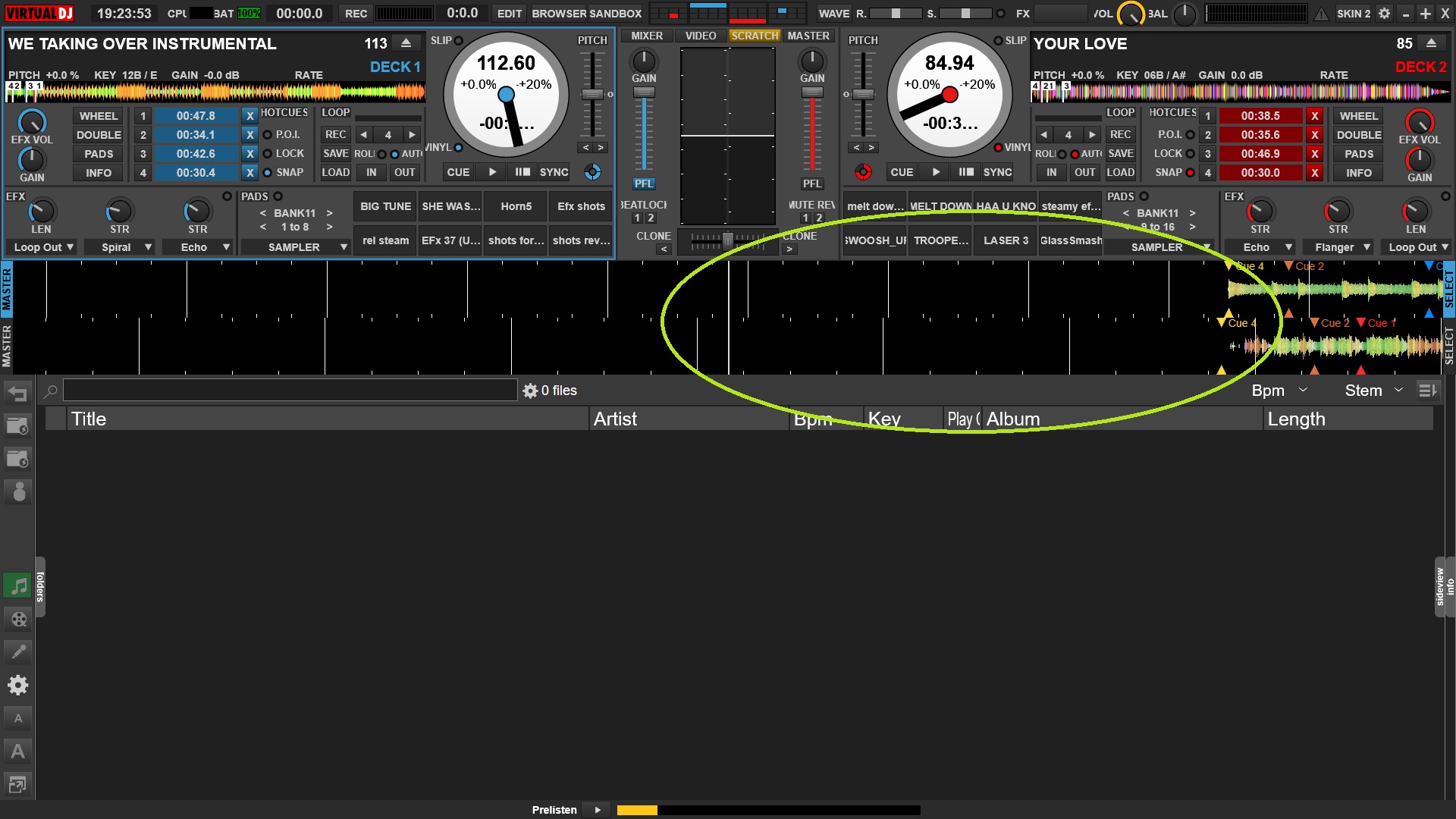
Posted Fri 05 Dec 25 @ 3:20 am
PhantomDeejay
As it was already explained to you, that's NOT the normal or expected behavior.
In fact your jogs show that the track was deliberately moved backwards in time for about 30 seconds.
So, something on your workflow or scripts e.t.c. is completely wrong.
Keep a backup of your settings.xml file, delete it and start clean. Start with default skin and default controller mapping too.
Then keep adding things / changing them back to what you are used to until you find what causes this.
However, long story short: The program does what you tell it to do: Move the track backwards in negative time (before the start of the song)
In fact your jogs show that the track was deliberately moved backwards in time for about 30 seconds.
So, something on your workflow or scripts e.t.c. is completely wrong.
Keep a backup of your settings.xml file, delete it and start clean. Start with default skin and default controller mapping too.
Then keep adding things / changing them back to what you are used to until you find what causes this.
However, long story short: The program does what you tell it to do: Move the track backwards in negative time (before the start of the song)
Posted Fri 05 Dec 25 @ 7:01 am
Selectah Blaze
NO: Actually never explained or corrected so here im sending you a pic of a fresh install of vdj on another system with different tracks that have no silence to the start
Posted Fri 05 Dec 25 @ 3:48 pm
Selectah Blaze
how is this my fault that the program adds to the track a section that doesnt exist and to those who dont have a solution your input is not required: 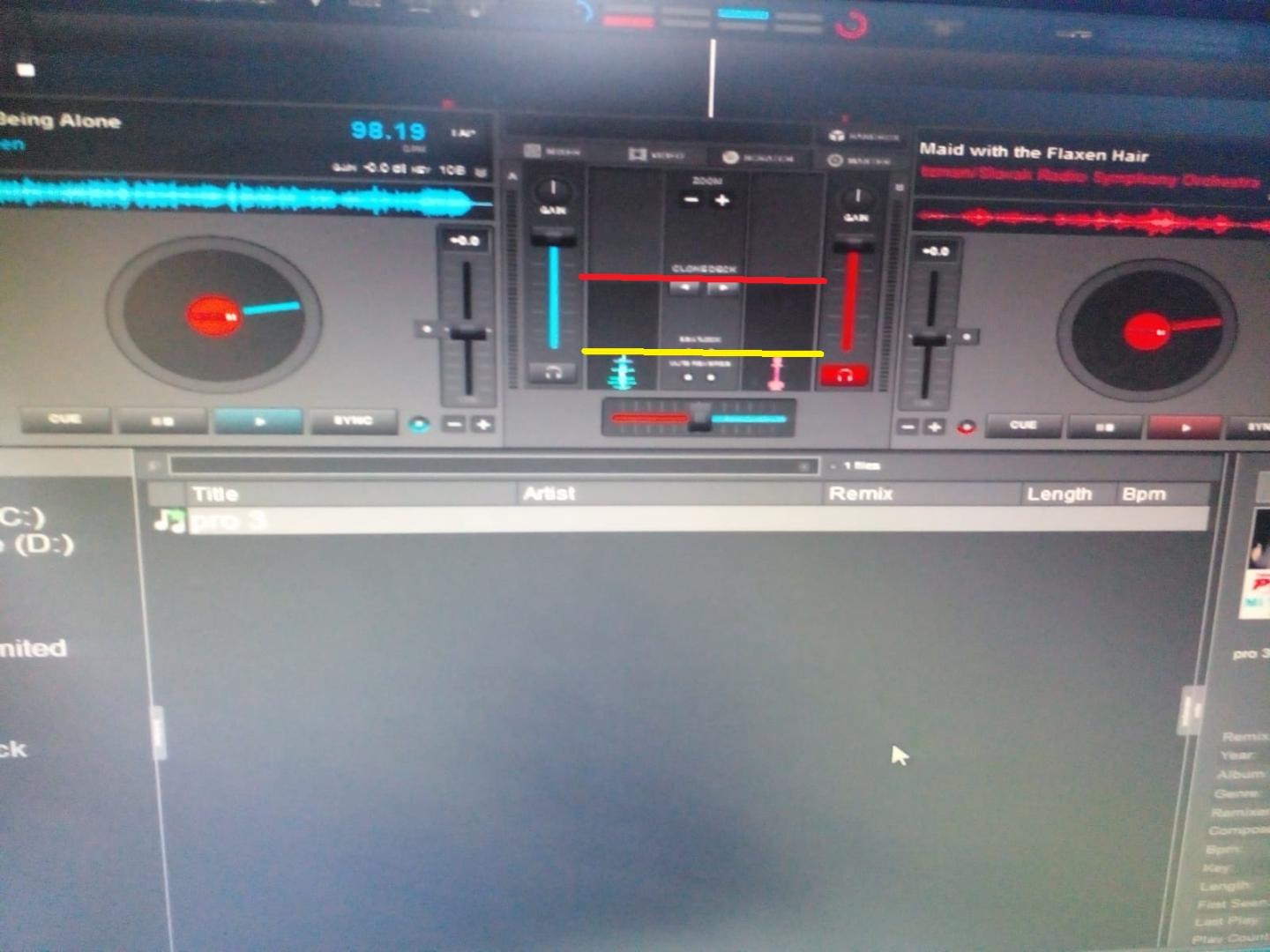
Posted Fri 05 Dec 25 @ 3:50 pm
 DJ VinylTouch
Could you explain why you are dragging the playhead beyond the start of the audible portion of the file?
Being able to do that is completely normal - Serato allows for that too.
VirtualDJ does not start with the play head from that section by default unless you changed something to make it load there - e.g. set a loadpoint there, or perhaps you are using Timecode in Smart mode and you put the needle down in the lead in part of the record.
If you want to guarantee load + starting in no silence, what @groovindj gave you is the answer
Being able to do that is completely normal - Serato allows for that too.
VirtualDJ does not start with the play head from that section by default unless you changed something to make it load there - e.g. set a loadpoint there, or perhaps you are using Timecode in Smart mode and you put the needle down in the lead in part of the record.
If you want to guarantee load + starting in no silence, what @groovindj gave you is the answer
groovindj wrote :
What do you have autoCue set to? Set it to 'skip silence'.
Posted Fri 05 Dec 25 @ 3:58 pm
Selectah Blaze
its set to cue/skipsilence.......... reason : on wheeling back a song{rewind manually using jog wheel} i run into silence .... so i don't do that i instead have to use mouse to pull back to beginning of song in the small wave form close to track info....... whether or not serato or other dj apps do this is not the problem i just need a fix on this... play track with other software e.g winamp there's no minus time ......vlc no minus time...... removed silence and sure there is no minus time but there is in vdj ..... over the years i have had to do work arounds for this .... but i often look for the solution .....
Posted Fri 05 Dec 25 @ 4:27 pm
groovindj
Winamp and VLC are not DJ programs...
Personally I don't understand why anyone would want to cue silence, at either end of the track, but I know there are some DJs who want that ability - hence why it can be done (in DJ software).
So when you load a track, it's not loading at -30 secs? It's going back that far because you're wheeling it back (backspin)?
In that case I suppose it should be possible to set the software to not allow so much silence beyond the track start.
We've got a yes/no option for keepPlayingPastEnd (mine's set to no) but there's nothing to disable the 30 second buffer at the start.
A workaround for now would be to set a hotcue at the start, then if you backspin to -30, start playing the track again by using the hotcue.
Personally I don't understand why anyone would want to cue silence, at either end of the track, but I know there are some DJs who want that ability - hence why it can be done (in DJ software).
So when you load a track, it's not loading at -30 secs? It's going back that far because you're wheeling it back (backspin)?
In that case I suppose it should be possible to set the software to not allow so much silence beyond the track start.
We've got a yes/no option for keepPlayingPastEnd (mine's set to no) but there's nothing to disable the 30 second buffer at the start.
A workaround for now would be to set a hotcue at the start, then if you backspin to -30, start playing the track again by using the hotcue.
Posted Fri 05 Dec 25 @ 4:37 pm
Selectah Blaze
groovindj wrote :
Winamp and VLC are not DJ programs...
Personally I don't understand why anyone would want to cue silence, at either end of the track, but I know there are some DJs who want that ability - hence why it can be done (in DJ software).
So when you load a track, it's not loading at -30 secs? It's going back that far because you're wheeling it back (backspin)?
In that case I suppose it should be possible to set the software to not allow so much silence beyond the track start.
We've got a yes/no option for keepPlayingPastEnd (mine's set to no) but there's nothing to disable the 30 second buffer at the start.
Personally I don't understand why anyone would want to cue silence, at either end of the track, but I know there are some DJs who want that ability - hence why it can be done (in DJ software).
So when you load a track, it's not loading at -30 secs? It's going back that far because you're wheeling it back (backspin)?
In that case I suppose it should be possible to set the software to not allow so much silence beyond the track start.
We've got a yes/no option for keepPlayingPastEnd (mine's set to no) but there's nothing to disable the 30 second buffer at the start.
winamp and vlc playback mp3's as close to original so it was just to verify that there is no silence ...
i do not cue or loop silence if djs do that i wonder how they count beats...
when i load a track it goes to 1st cue as designated... & yes im wheeling back manually (yes backspin) quickly in a high energy mix wishing it would stop me when i got to the start so i can quickly restart song...
the possibility is what i am asking since there were so many unique adjustments that could be made for other things in this software ... i was hoping for a solution since this has seriously plagued me for some time...
Posted Fri 05 Dec 25 @ 4:57 pm
PhantomDeejay
Map a button to goto 0%
Done!
Done!
Posted Fri 05 Dec 25 @ 5:52 pm
Selectah Blaze
Nice idea but how to get it at the jog wheel?
Posted Fri 05 Dec 25 @ 6:04 pm
DJ VinylTouch
Selectah Blaze wrote :
its set to cue/skipsilence.......... reason : on wheeling back a song{rewind manually using jog wheel} i run into silence ....
If you pull back the playhead before the start of the song, you will hear silence (not sure what you would want otherwise if that is your problem).
If you are pulling back the track for an audible backspin, but you don't hear sound, then most likely you have smartScratch enabled (it mutes backwards movement) - just go into settings and disable it.
If you just want to the jog wheel at a certain physical position while you move the playhead to the track start, then copy the mapping @PhantomDeejay gave you to a button, move the jogwheel to the position you want it, hold the jogwheel down/in place, then press the button.
Because I used Rekordbox for a while and it had a keyboard shortcut to go to the start while keeping playing status, I have a mapping for that too:
play ? goto_start & play : goto_start
groovindj wrote :
Personally I don't understand why anyone would want to cue silence, at either end of the track, but I know there are some DJs who want that
Before silent cue was actually a feature in DJ software, DJs using timecode wanted a way to just drop a track, on time, with a cue press, instead of a scratch drop/blend. So to allow for that, they placed a cue in the "silent" part of the track, which is the dead space inserted just after the track (keeping the playback going after the track ended was always common practice for relative mode in other software), which allowed you to then play that track from that point (it's juat continually silent) on top of an already playing track, in an audible fader configuration, then drop the actual cue in the song, when you need it (hence the name "Silent Cue"), so that it behaved almost like a controller press of play.
Posted Fri 05 Dec 25 @ 7:54 pm
