


 Djaminhi
I absolutely love this skin, i use the Pro layout exclusively.
Thank you Dan for the work you put into making it!!
Thank you Dan for the work you put into making it!!
Posted Sun 11 May 25 @ 1:19 pm
 djles.co.uk
Me too. I have been using the Slider version for several years, this last few days, I've been exploring the Project X Pro version for some of the extras it provides (including stems control). I'm going to use the Pro version at my next gig and probably future gigs. Tremendous work from Dan, I salute you sir 🫡 😊
Posted Mon 12 May 25 @ 5:46 am
 Bert Patroons
Hi! Thanks for the great skin!
I also have the issue of having a weird grey bar at the bottom.
I think it comes from the fact that the skin is written for 1920x1080, and my screen (16'' macbook pro) is 1728x1117 (equivalent of 1920x1241, which is a little taller aspect ratio).
EDIT: I found an easy fix, see post below
I also have the issue of having a weird grey bar at the bottom.
I think it comes from the fact that the skin is written for 1920x1080, and my screen (16'' macbook pro) is 1728x1117 (equivalent of 1920x1241, which is a little taller aspect ratio).
EDIT: I found an easy fix, see post below
Posted Thu 10 Jul 25 @ 7:54 pm
Bert Patroons
Dj La Touche wrote :
greetings, man I love that skin especially the EQ section with the stems, want to ask why does the skin have this grey in the bottom and it lags every time I switch the the skin, it takes about a second or two before the pro skin loads, it does it only on the pro skin
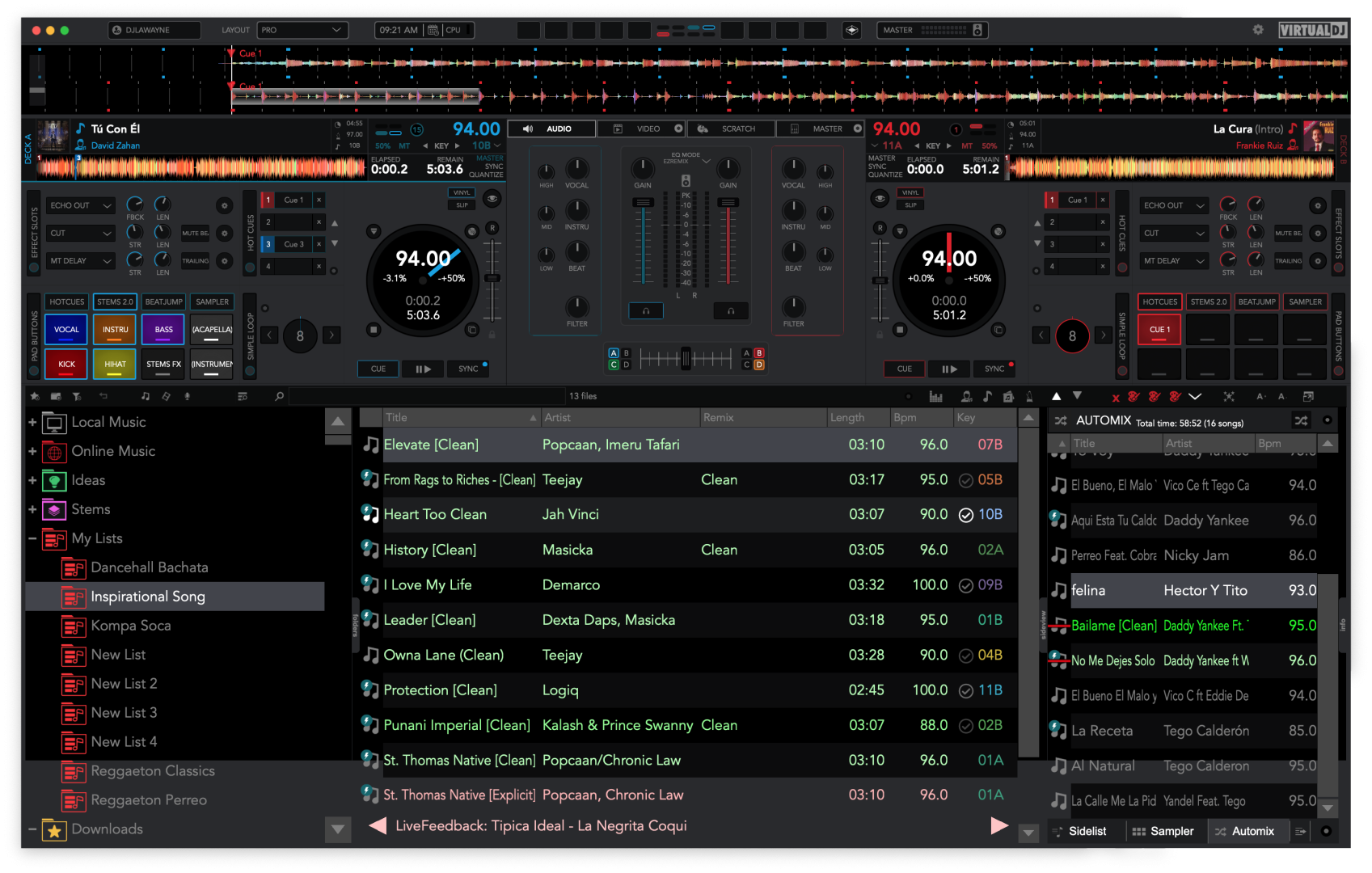
If you're still looking for a solution, I think I found it.
search for this line:
<square x="+0" y="+0" width="[WIDTH]" height="[HEIGHT]" color="browserbackground"/>
and change it to:
<square x="+0" y="+0" width="[WIDTH]" height="[HEIGHT]+200" color="browserbackground"/>
Posted Thu 10 Jul 25 @ 8:08 pm
 TheDoctorUK
Could the skin be updated with the above edit to fix the skin on different resolutions, this bug also shows up in windows when its not a 16:9 window, or has this been abandoned?
Posted Tue 30 Sep 25 @ 6:42 pm
 DJ Entrada
FYI, in the experimental stem waves (beta) mode, with the new VDJ 2026 beta, you get the lyrics 3 times!
Also, IMO vocals should be at the top, then instrumental, then drums. That's the way virtually everything orders it (and the ez-eq mode orders it)
Also, IMO vocals should be at the top, then instrumental, then drums. That's the way virtually everything orders it (and the ez-eq mode orders it)
Posted Sun 07 Dec 25 @ 10:30 pm
allpcons
Downloaded Vdj 2026. Project x does not work with it. Is there going to be a new version or updated to this skin?
Posted Mon 22 Dec 25 @ 6:39 am
 groovindj
What exactly "does not work"?
Posted Mon 22 Dec 25 @ 10:27 am
 PressNPlayDJ
Works fine for me here. Never had an issue with this skin
Posted Mon 22 Dec 25 @ 1:03 pm
 Pato Selekta
Hey Dan, is this posible within Project X?:
It’d be awesome if VirtualDJ skins could embed VST controls *inside* the skin instead of relying on the floating VST window.
The floating UI is a headache: the moment you click back on the skin, the VST window can drop behind it, and you end up hunting for it again.
Has anyone managed to do this (or something close)? Like a skin “bay/compartment” where the VST UI lives and stays on top / docked? Any examples or workarounds would be appreciated.
It’d be awesome if VirtualDJ skins could embed VST controls *inside* the skin instead of relying on the floating VST window.
The floating UI is a headache: the moment you click back on the skin, the VST window can drop behind it, and you end up hunting for it again.
Has anyone managed to do this (or something close)? Like a skin “bay/compartment” where the VST UI lives and stays on top / docked? Any examples or workarounds would be appreciated.
Posted Mon 22 Dec 25 @ 1:36 pm
groovindj
Did you not read your duplicate posts? You've already been told it's not possible.
Posted Mon 22 Dec 25 @ 1:46 pm
Pato Selekta
groovindj wrote :
Did you not read your duplicate posts? You've already been told it's not possible.
History is filled with instances where people once thought something couldn’t be done, only to see it happen.
Posted Mon 22 Dec 25 @ 2:22 pm
 PhantomDeejay
A wise man is a man that knows when to keep pushing, or when it's time to let go..
Generally speaking, sometimes, no matter how hard you push the wall, the wall won't move!
(Edit: I'm Greek, so I don't know how to describe this better in English. I hope you understand the point though)
Generally speaking, sometimes, no matter how hard you push the wall, the wall won't move!
(Edit: I'm Greek, so I don't know how to describe this better in English. I hope you understand the point though)
Posted Mon 22 Dec 25 @ 2:34 pm
allpcons
This skin does not seem to work with Vdj 2026
Posted Mon 22 Dec 25 @ 4:43 pm
groovindj
Please read previous posts!
Others are saying it does work. What exact problem are you having?
Others are saying it does work. What exact problem are you having?
Posted Mon 22 Dec 25 @ 4:48 pm
djles.co.uk
Both Project X and Project X Slider work fine here (14" MBP)
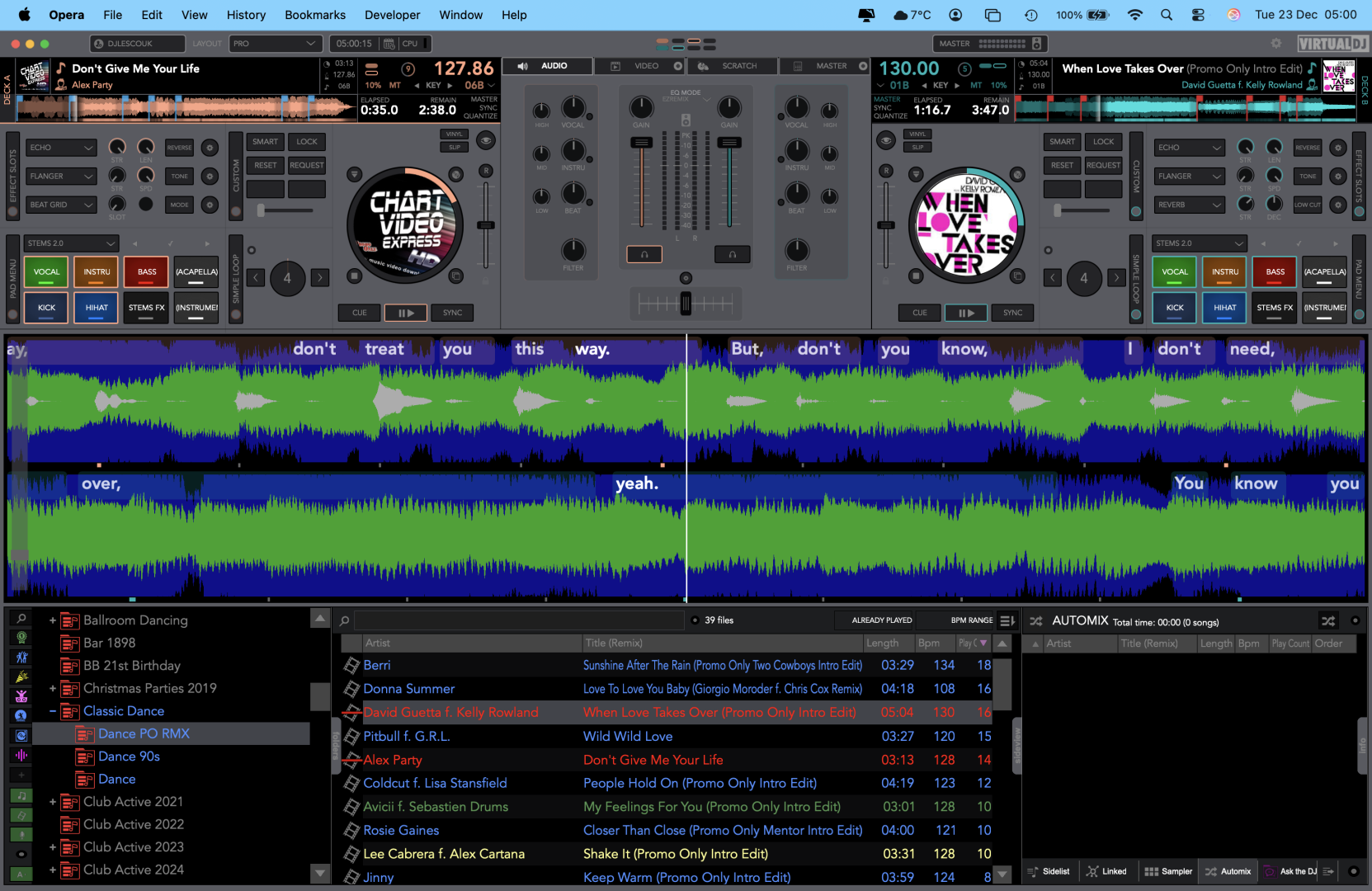
Main System - Apple Silicon M1 MacBook Pro (14-inch, 2021), 16gb, 500 gb SSD, macOS Tahoe 26.2, External Crucial 2tb X9 Pro SSD formatted APFS containing Music & Video databases. VirtualDJ v2026-m b8978 AI
Main Controller Denon MC7000.
Main System - Apple Silicon M1 MacBook Pro (14-inch, 2021), 16gb, 500 gb SSD, macOS Tahoe 26.2, External Crucial 2tb X9 Pro SSD formatted APFS containing Music & Video databases. VirtualDJ v2026-m b8978 AI
Main Controller Denon MC7000.
Posted Tue 23 Dec 25 @ 5:05 am
 NAWTBOY
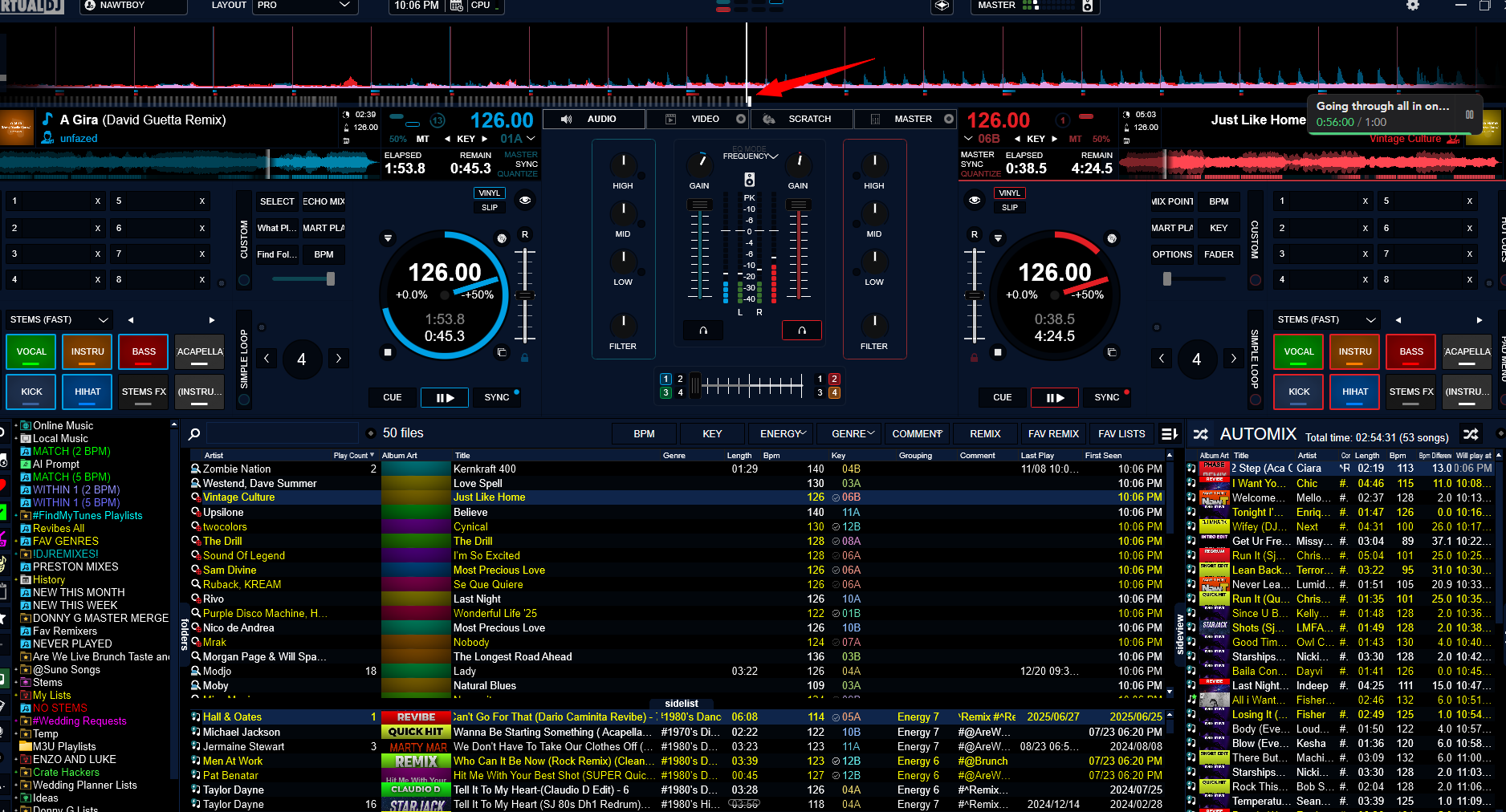
I'm on Windows using the new VirtualDJ 2026. If you take a look at my screenshot, you'll notice in the waveform section if I'm using the Beats view for the waves and i have lyrics active i'll see this weird glitchy lines underneath the waveforms. If I turn off lyrics it goes away. Any suggestions on how to get rid of this? If I play one track it's fine. But as soon as I play the second track, it's when it seems to kick in.
Posted Sun 28 Dec 25 @ 5:47 am