


 grimlok
Hi I recently got a Icon Idj and have been trying to map it to Vdj. I'm having the problem of whenever the track is playing and I try to scratch the track starts playing again as soon as the platter stops moving instead of staying paused until I take my hand off the platter. I have tried to map touch on and touch off messages to "scratch wheel touch" and other things but whenever I do this is just reads the touch wheel on message. Any idea? Thanks for your time.
Posted Thu 29 Dec 11 @ 1:48 am

Support staff

If it has a touch sensitive jogwheel then map the following to the jogwheel's movement left/right:
touchwheel
Or if you are using simple MIDI wrapper, you may need:
param_greater 50% ? touchwheel +0.1% : touchwheel -0.1%
Map the following to the jogwheel touch sensor's on/off note:
touchwheel_touch
NOTE: You will need to purchase the full VirtualDJ Professional to be able to use MIDI controllers for more than 10 minutes at a time: http://www.virtualdj.com/buy/index.html
touchwheel
Or if you are using simple MIDI wrapper, you may need:
param_greater 50% ? touchwheel +0.1% : touchwheel -0.1%
Map the following to the jogwheel touch sensor's on/off note:
touchwheel_touch
NOTE: You will need to purchase the full VirtualDJ Professional to be able to use MIDI controllers for more than 10 minutes at a time: http://www.virtualdj.com/buy/index.html
Posted Thu 29 Dec 11 @ 3:56 am
grimlok
Ok thank you this worked great. the only problem I'm having now is mapping the jogwheels separately to each side of the unit. In simple midi wrapper if I map play pause with "deck left" or "deck right" before it I can map to either deck individually. however If I try this on the jogwheels or pitch faders it does not, It simply controls whichever deck is selected in vdj. Any ideas? Thanks for your time.
Posted Fri 30 Dec 11 @ 8:21 pm
Support staff
You need to add deck left or deck right in front of each action, e.g:
For left jogwheel:
deck left touchwheel_touch
param_greater 50% ? deck left touchwheel +0.1% : deck left touchwheel -0.1%
For right jogwheel:
deck right touchwheel_touch
param_greater 50% ? deck right touchwheel +0.1% : deck right touchwheel -0.1%
For left jogwheel:
deck left touchwheel_touch
param_greater 50% ? deck left touchwheel +0.1% : deck left touchwheel -0.1%
For right jogwheel:
deck right touchwheel_touch
param_greater 50% ? deck right touchwheel +0.1% : deck right touchwheel -0.1%
Posted Sat 31 Dec 11 @ 9:54 am
grimlok
Ok thanks for the help. I just have one more question. Whenever I try to map the crossfader, it works fine however, if it is at exactly 50% in the middle it jumps completely over to the left side until I move it to 51% or 49% etc. I tried mapping it like "param_greater 0% ? crossfader" and it works great however, I can only move it to about 99% on the left so I always slightly hear the right track. I then tried mapping it like like "param_greater -1% ? crossfader" and it works fully but It then skips to the left again at 50%. Any ideas?
Posted Tue 10 Jan 12 @ 12:40 pm
 synthet1c
press the layer button in the centre of the idj, move the crossfader to either end, press the layer button again, it will change the crossfader curve
Posted Tue 10 Jan 12 @ 12:52 pm
dj_wys
hi , could you help me mapping the wheels , i have mapped everithing but the weels with the simple midi mapper , thanx !!!
Posted Mon 23 Jan 12 @ 7:17 am
Support staff
Please see:
http://www.virtualdj.com/wiki/Simple%20MIDI%20Wrapper%20Endless%20Encoder%20Knobs%20and%20Jogwheels.html
You will need to purchase the full VirtualDJ Professional to use MIDI controllers for more than 10 minutes at a time: http://www.virtualdj.com/buy/index.html
For full functionality including LED's and optimal performance, you will need to create a proper device definition for the controller: http://www.virtualdj.com/wiki/ControllerDefinition.html
http://www.virtualdj.com/wiki/Simple%20MIDI%20Wrapper%20Endless%20Encoder%20Knobs%20and%20Jogwheels.html
You will need to purchase the full VirtualDJ Professional to use MIDI controllers for more than 10 minutes at a time: http://www.virtualdj.com/buy/index.html
For full functionality including LED's and optimal performance, you will need to create a proper device definition for the controller: http://www.virtualdj.com/wiki/ControllerDefinition.html
Posted Mon 23 Jan 12 @ 8:25 am
dj_wys
thanx , i know its only 10 minutes but i enjoy more understanding mapping than djing !!! thanx a lot i will try it !!!
Posted Mon 23 Jan 12 @ 11:01 am
dj_wys
hi , when i touch the touch wheels it sends 127 (7f) on note 108 , when release it sends 00 (00) on note 108 ,i cant set the touchwheel_touch to hold the song while touched and stop holding when i stop touching the wheel , could you help me please ?
Posted Fri 03 Feb 12 @ 3:32 pm
dj_wys
i made a mistake mapping the notes , it was note 47 and note 46 for touch wheels , now its working , thanx a lot !!!
Posted Fri 03 Feb 12 @ 5:15 pm
synthet1c
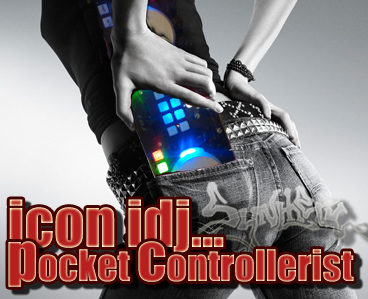
I have just finished and uploaded an insanely powerful mapping for the idj, it has two layers, one scratch mode, one jog fx mode, in jog fx, there is 9 possabilities of effects, but in total there is 20 eftects mapped to the device. if you get vdj pro you can download it once approved. it will have this picture in the controller download section, since i have finished it, I haven't put it down it's so much fun!
Posted Fri 03 Feb 12 @ 7:29 pm
mickao
Can you post the link when it will be avaible? :)
Posted Sat 04 Feb 12 @ 12:52 pm
mickao
Hey, I saw that the iCon iDJ mapping by Synthet1c appeared yesterday. Unfortunately, I don't have a pro license so I can't download it and I haven't lot of money for the moment for buying a full VDJ version.
In this case, how can I do? :(
In this case, how can I do? :(
Posted Thu 09 Feb 12 @ 1:01 am
Support staff
You will have to wait until you have saved enough money to be able to afford to purchase the full Pro version.
Mappers and other add-ons are only available to registered licensed users who have purchased the software.
If you like VirtualDJ, please support the software and its future development by purchasing it: http://www.virtualdj.com/buy/index.html
Mappers and other add-ons are only available to registered licensed users who have purchased the software.
If you like VirtualDJ, please support the software and its future development by purchasing it: http://www.virtualdj.com/buy/index.html
Posted Fri 10 Feb 12 @ 8:25 am
Charles Kuo
Is there an ICON iDJ mapping for MAC? I would love to subscribe if that is available. Thanks.
Posted Wed 04 Mar 15 @ 9:56 am
 Tim Bennett
Posted Wed 04 Mar 15 @ 11:19 am
alainhinton
synthet1c wrote :
I have just finished and uploaded an insanely powerful mapping for the idj, it has two layers, one scratch mode, one jog fx mode, in jog fx, there is 9 possabilities of effects, but in total there is 20 eftects mapped to the device. if you get vdj pro you can download it once approved. it will have this picture in the controller download section, since i have finished it, I haven't put it down it's so much fun!
Bro - is your map still around? I so want my iDJ to be live...
Posted Mon 04 Feb 19 @ 8:58 am
 groovindj
Search and you shall find...
https://www.virtualdj.com/addons/14397/iCON_iDJ.html
https://www.virtualdj.com/addons/14397/iCON_iDJ.html
Posted Mon 04 Feb 19 @ 5:23 pm