


 djjoe21
Under my All Genre's I have 2 for Rock one has 722 files and the other has 1689. You can see in the picture there is a space in the Path. I underlined it in Red. Why is this happening?
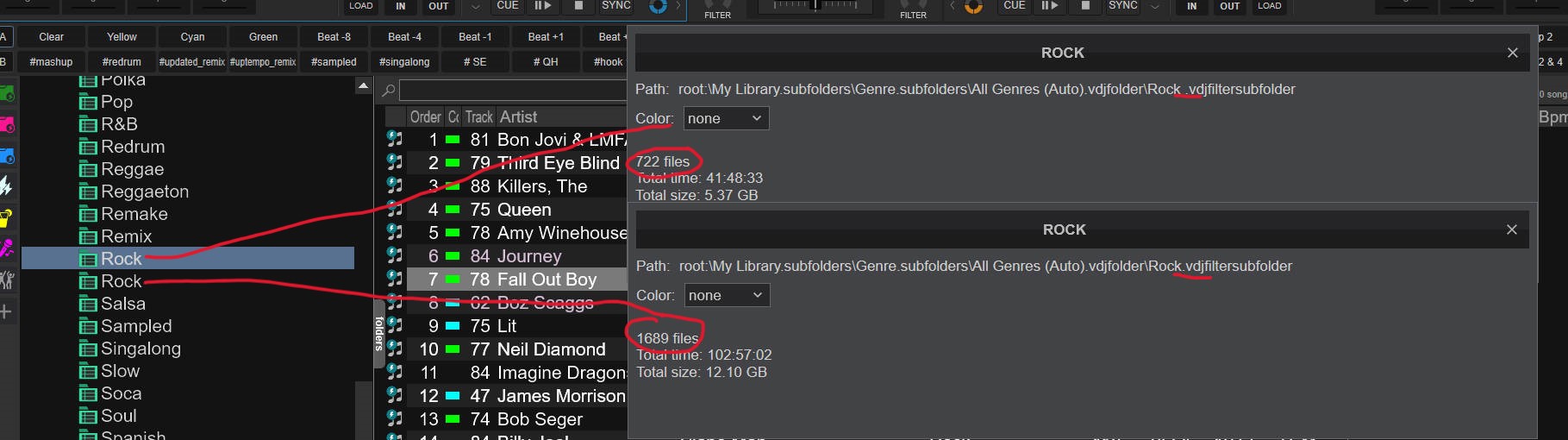
Thanks
Thanks
Posted 2 days ago @ 6:15 am
 locoDog
open the tag editor with a file from "rock ", it's probably tagged like that [and 700+ others]
Posted 2 days ago @ 6:49 am
djjoe21
The fear the reaper song shows up in both "Rock" and the 1979 song only shows in the one with 722 files. I don't see anywhere to edit from what I can tell they are both just "Rock"
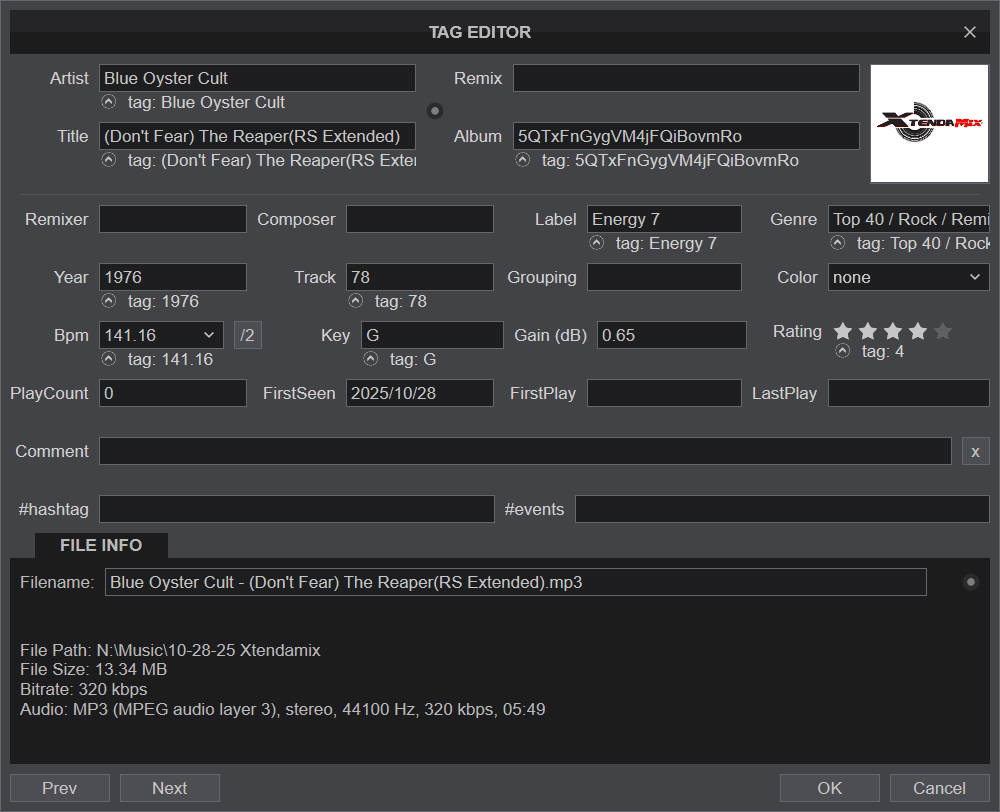
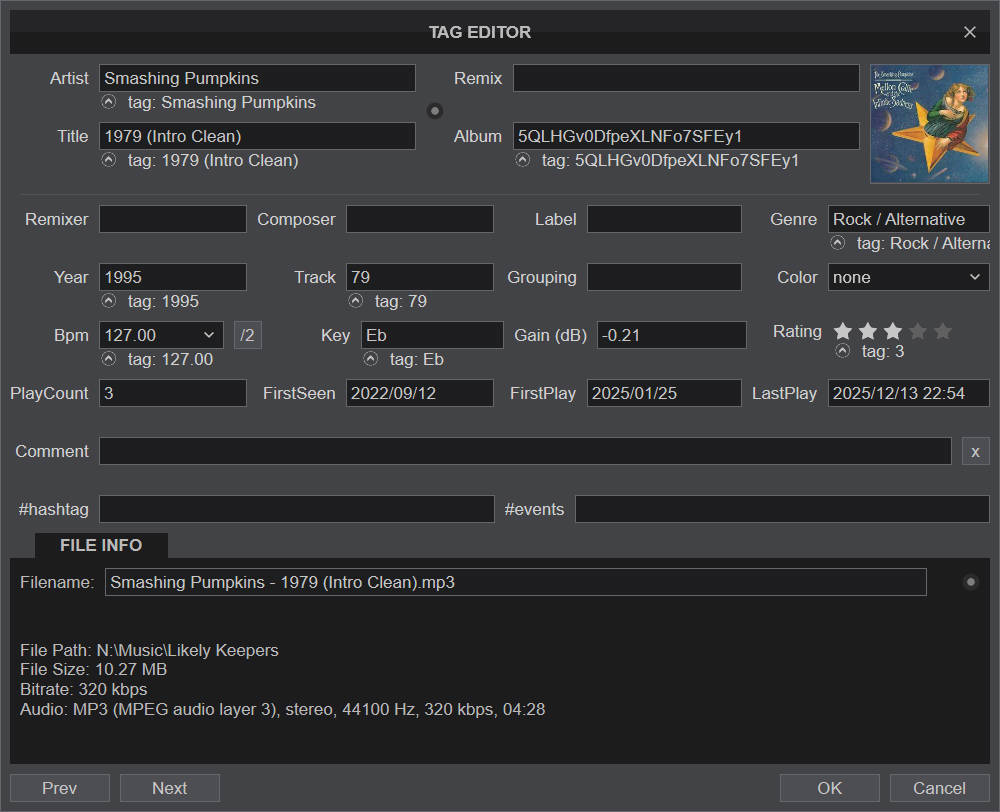
Posted 2 days ago @ 6:56 am
 djjohnnyrox
There is a setting that turns off and on the forward slash in settings Toggle that setting and see if it fixes
Posted yesterday @ 6:03 pm
djjoe21
Its checked yes for slashes. I'm really stumped.
Thanks
Thanks
Posted yesterday @ 7:39 pm
 PhantomDeejay
Don't inspect just visually.
Put the cursor in the text and use the arrows on your keyboard to move the curet. Count if there's ONE or TWO spaces {space} between "c" (of Rock) and "/" (forward slash)
Put the cursor in the text and use the arrows on your keyboard to move the curet. Count if there's ONE or TWO spaces {space} between "c" (of Rock) and "/" (forward slash)
Posted yesterday @ 9:58 pm
djjoe21
So I've tried everything I can think of including the suggestions here. The only thing that works is if I take the space out after the word rock so it looks like Rock/ Next Genre and then it shows up like it should. So I completely retype the Genre just in case there is a "Space" it goes back to the way it was.

Posted yesterday @ 11:52 pm
 Paul McKenzie
FYI, I NEVER have spaces in my genres for just this reason. An example might be “rock/pop/punk”. Every time I have the issue you describe it’s because there is a space in there somewhere. If you cannot find the odd space, just retype it and see if that fixes it. Also, spaces take up room on your screen when you are reading your lists, so getting rid of spaces just makes it easier for fitting multiple genres on screen.
Posted 7 hours ago
djjoe21
I hear you on that and I may switch it up. The biggest issue I have is I have thousands of songs that are not like this (other genres) and have the "Space" and don't add the extra genre it's just these 722 songs. I'm just hoping to find out why.
Posted 4 hours ago